
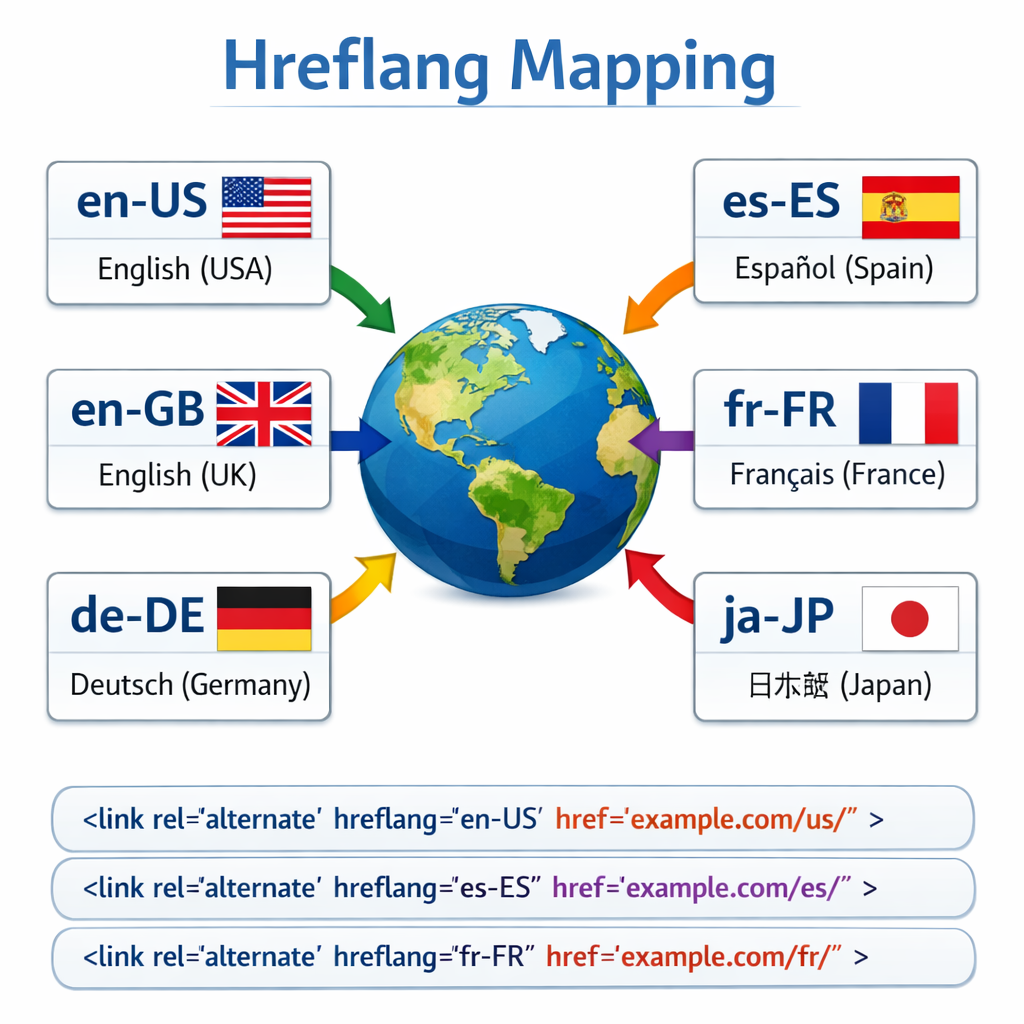
Hreflang tag is an HTML attribute used to specify the language and geographical targeting of a webpage. If the websites have multiple versions of the same page in different languages, we can use the hreflang tag to tell search engines like Google about these variations. This helps them to serve the correct version to their users.
As soon as there is more than one version of the website for users from different countries or the website is available in different languages, we should consider implementing hreflang annotations on our website.
Some examples of websites that require hreflang annotations:
- A website in English language with a language version for the US, a language version for the CA, and a version for the rest of the world i.e. multi-lingual site
- Multi-regional site with same language for target audience
- A website with several country domains, some of which have more than one language version (for countries with more than one language spoken).
An international website with English, French and Spanish language versions i.e. multi-regional and multi-lingual website .
Hreflang tags for both multi-regional & multilingual sites
Some websites incorporate both regional and language variants.
<link rel=”alternate” href=”http://example.com/ ” hreflang=”x-default” />
<link rel=”alternate” href=”http://example.com/en-us/ ” hreflang=”en-us” />
<link rel=”alternate” href=”http://example.com/en-gb/ ” hreflang=”en-gb” />
<link rel=”alternate” href=”http://example.com/es-us/ ” hreflang=”es-us” /><link rel=”alternate” href=”http://example.com/pt-br/ ” hreflang=”pt-br” />
The correct way to use hreflang tag attributes
The hreflang tag consist of 3 attributes:
rel=”alternate”
Tells the search crawler that there is an alternate variation of the page present
href=”http://example.com”
Used to specify the actual alternate URL
hreflang=”en-us”
Used to specify the language and country
The first portion en specifies the language in ISO 639-1 format
The second portion us specifies the country using the ISO 2 letter country code
Managing HREFLang Tags for Different Pages with Different Languages
Let’s say, page-A is available with region and languages en-us, en-ca and fr-ca , and
Page-B is available with region and languages en-us, es-us and pt-br ; make sure you have alternative hreflang tags for respective region and languages only in the <head> tags (OR in headers or in Sitemap – these other two methods explained later in this document)
Here for page-A, hreflang tags will be as follows –
Hreflang tags for both multi-regional & multilingual sites
Some websites incorporate both regional and language variants.
<link rel=”alternate” href=”http://example.com/ ” hreflang=”x-default” />
<link rel=”alternate” href=”http://example.com/en-us/ ” hreflang=”en-us” />
<link rel=”alternate” href=”http://example.com/en-gb/ ” hreflang=”en-gb” />
<link rel=”alternate” href=”http://example.com/es-us/ ” hreflang=”es-us” /><link rel=”alternate” href=”http://example.com/pt-br/ ” hreflang=”pt-br” />
The correct way to use hreflang tag attributes
The hreflang tag consist of 3 attributes:
rel=”alternate”
Tells the search crawler that there is an alternate variation of the page present
href=”http://example.com “
Used to specify the actual alternate URL
hreflang=”en-us”
Used to specify the language and country
The first portion en specifies the language in ISO 639-1 format
The second portion us specifies the country using the ISO 2 letter country codeManaging HREFLang Tags for Different Pages with Different Languages
Let’s say, page-A is available with region and languages en-us, en-ca and fr-ca , and
Page-B is available with region and languages en-us, es-us and pt-br ; make sure you have alternative hreflang tags for respective region and languages only in the <head> tags (OR in headers or in Sitemap – these other two methods explained later in this document)
Here for page-A, hreflang tags will be as follows –
<link rel=”alternate” href=”http://example.com/page-A/ ” hreflang=”x-default” />
<link rel=”alternate” href=”http://example.com/en-us/page-A/ ” hreflang=”en-us” />
<link rel=”alternate” href=”http://example.com/en-ca/ page-A/ ” ” hreflang=”en-ca” />
<link rel=”alternate” href=”http://example.com/fr-ca/ page-A/ ” ” hreflang=”fr-ca” />And for page-B, hreflang tags will be as follows –
<link rel=”alternate” href=”http://example.com/page-B/ ” hreflang=”x-default” />
<link rel=”alternate” href=”http://example.com/en-us/page-B/ ” hreflang=”en-us” />
<link rel=”alternate” href=”http://example.com/es-us/ page-B/ ” ” hreflang=”es-us” />
<link rel=”alternate” href=”http://example.com/pt-br/ page-B/ ” ” hreflang=”pt-br” />
And for page-B, hreflang tags will be as follows –
<link rel=”alternate” href=”http://example.com/page-B/ ” hreflang=”x-default” />
<link rel=”alternate” href=”http://example.com/en-us/page-B/ ” hreflang=”en-us” />
<link rel=”alternate” href=”http://example.com/es-us/ page-B/ ” ” hreflang=”es-us” />
<link rel=”alternate” href=”http://example.com/pt-br/ page-B/ ” ” hreflang=”pt-br” />
Key Benefits
Better user experience. Content created specifically for an audience and delivered in their own language will resonate, engage, and meet the user search expectation. This leads to a lower bounce rate and better page rankings.
Prevent duplicate content issues. If we have pages with the same content in different languages or regionally specific content in the same language, Google might not understand and see it as duplicate content, which can impact page ranking. Like canonical tags, hreflang helps to avoid penalties associated with duplicate content.
Default hreflang tag for global or fallback pages
The hreflang “x-default” attribute is used for specifying a page that does not have any region or language associated with it. This is normally used for the global pages that serve every region or language that is explicitly not specified in any other hreflang tag.
For example http://example.com may serve various countries such as Canada, USA, India etc. In such a case you are required to tag http://example.com with the x-default attribute.
Google recommends using the x-default hreflang attribute!
Ensuring all page variations link back to every other variation.
Every page of your site must have hreflang tags that point to other language or region variants. Leaving them out leaves the doors open for search engine crawlers to misinterpret your site structure.
5 Quick Tips
- Use the correct ISO language codes and country codes
- Ensure hreflang tags are present for all variants in every page
- Use the x-default tag for unmatched languages or countries
- Don’t forget to use http or https in every hreflang link
- Use a geo redirect to auto redirect or prompt the visitor to go to the correct regional page if they are found on the incorrect one. This will greatly help increase conversion rates.
Methods for indicating your alternate pages
There are three ways to indicate multiple language/locale versions of a page to Google:
1. Use HTML Tags in <head> Sections
As we mentioned earlier, one of the ways to implement hreflang tags on your website is to insert them in HTML tags. This is often the quickest and easiest method.
However, this process can be time-consuming if you have a long list of languages. You would need to link each variation to every other variation. Additionally, WordPress would have to make multiple database calls to generate these links.
Ultimately, this could slow down your site. Therefore, if you have a larger website or want to create a long list of languages, you might want to use the sitemap method instead (see Method 3).
To use this HTML tag method, you must insert your hreflang tags into the <head> section of each of your pages. For instance, if you wanted to add English and Spanish versions for the United States version of your site, you would add the following code:
<link rel="alternate" hreflang="x-default" href="http://example.com/">
<link rel="alternate" hreflang="en-us" href="http://example.com/en-us/">
<link rel="alternate" hreflang="de-de" href="http://example.com/de-de/">
In the above example, the first line refers to the default page. The second and third are for English and Spanish speakers.
2. Insert Hreflang Tags in Your HTTP Headers
If you want to add hreflang tags in non-HTML pages, such as PDFs, you won’t have HTML code to place the tags in. When this is the case, you can use your HTTP headers instead.
The code would look something like the following:
<http://example.pdf>; rel="alternate";hreflang="x-default",
<http:/example.pdf>; rel="alternate";hreflang="en",
<http://example.pdf>; rel="alternate";hreflang="es",
<http://example.pdf>; rel="alternate";hreflang="de"
In this example, you’re adding variants for English, Spanish, and German. Each of the respective versions must be placed in the headers of each PDF file.
3. Add Hreflang Tags to Your Sitemap
The third method for implementing hreflang tags is using XML sitemap markup. This approach will let you add the hreflang attributes for all your site’s pages in one place.
It can also help you avoid slowing down your page loading speed (which might happen if you place the tags in the head section of the pages). Plus, changing a sitemap can be significantly easier than modifying each page’s <head> tag.
The sitemap method is similar to the HTML <head> tag method, except the xhtml:link attribute adds the hreflang annotations to each URL. Following the xhtml:link attribute at the front of your URL, you would add the alternative page versions, so your markup would look similar to the following:
<url>
<loc>https://example.com/link</loc>
<xhtml:link rel=”alternate” hreflang=”en-us” href=”x-default”
<xhtml:link rel=”alternate” hreflang=”en” href=”https://example.com/link/” />
<xhtml:link rel=”alternate” hreflang=”es” href=”https://example.com/enlance/” />
Here, you’ll see that each URL has a hreflang attribute and return links to the other URLs. A separate <url> element should be created for every URL. Each element must include a <loc> that indicates the page URL. The URLs also need a <xhtml:link rel=”alternate” hreflang=”supported_language-code”> element that lists each alternative version of the page.
Tips and Best Practices for Using Hreflang Tags
Now that you understand the basics of hreflang tags and their implementation, let’s discuss some tips for using them. Below are some key best practices to follow!
Make Sure the Tags Are Bidirectional
Hreflang tags operate in pairs, meaning that they are bidirectional. When you add a hreflang tag to an English page pointing to a Spanish version, you also need to ensure that the Spanish variant returns with a hreflang tag pointing to the English version.
This setup tells search engines the relationship is in agreement, and that you control both pages. If two pages don’t point to each other, Google will ignore the tags.
Specify the Default Page for Users Who Don’t Speak Any of the Specified Languages
Specifying the default page for users who don’t speak any of your set languages is important. It will ensure that visitors are directed to the correct version of your site.
You can do this by adding a tag with the language code “x-default”. It would look something like:
<link rel=”alternate” hreflang=”x-default” href=”https://example.com/” />
The default page will be used in situations where Google is unable to extract the language or region for users when it’s not specified or listed. Instead, the x-default page will ask users which language they prefer, then point them to the appropriate alternate version.
Use Absolute URLs
Absolute URLs are complete URLs that include the domain name. They are also the preferred type of URL to use with hreflang tags. They are less likely to be affected by changes on your website, and make it easier for search engines to index your pages correctly.
It’s important to make sure that your hreflang tags contain absolute URLs. In other words, the code should look like “https://example.com/link” rather than “example.com/link”.
Make Sure Your Hreflang Tags Are Valid and Correctly Formatted
As we mentioned earlier, the correct ISO language and region codes must be used when creating your hreflang link attributes. Otherwise, you may encounter a message in Google Search Console informing you that your site doesn’t have any hreflang language tags.
Remember to use the ISO language codes for language attributes and the region codes for geographical locations. For instance, while “kr” is for the region of South Korea, “ko” is the code for the Korean language.
Keep Your Hreflang Tags Up To Date
As you continue adding content and pages to your website, keeping up with your hreflang tags becomes more critical.
Let’s say you add a new domain for a particular country. Then you’ll need to add the appropriate hreflang tags to your existing pages, and check to ensure that they point to the new domain.
The same applies if you delete any language versions of your website. If you remove a language, you’ll need to delete or replace the hreflang tags pointing to it. Pointing to missing or incorrect URLs can hurt both your UX and SEO.
Monitor Your Website for Errors
Just as essential as keeping your hreflang tags updated is consistently monitoring your website for errors. This process includes checking your site’s source code to make sure that all necessary tags are present.
You can use a tool such as Google Search Console to monitor your website more easily. This platform will help you verify whether your pages are being indexed correctly.
Leave a Reply